CyBRICS Quals 2019 / Published
Honey, Help!
Mapping garbled terminal symbols back to letters with a chosen-plaintext attack to recover the flag.
HONEY HELP!!! I was working in my Kali MATE, pressed something, AND EVERYTHING DISAPPEARED! I even copied the text from terminal
Identifying the garbled terminal output
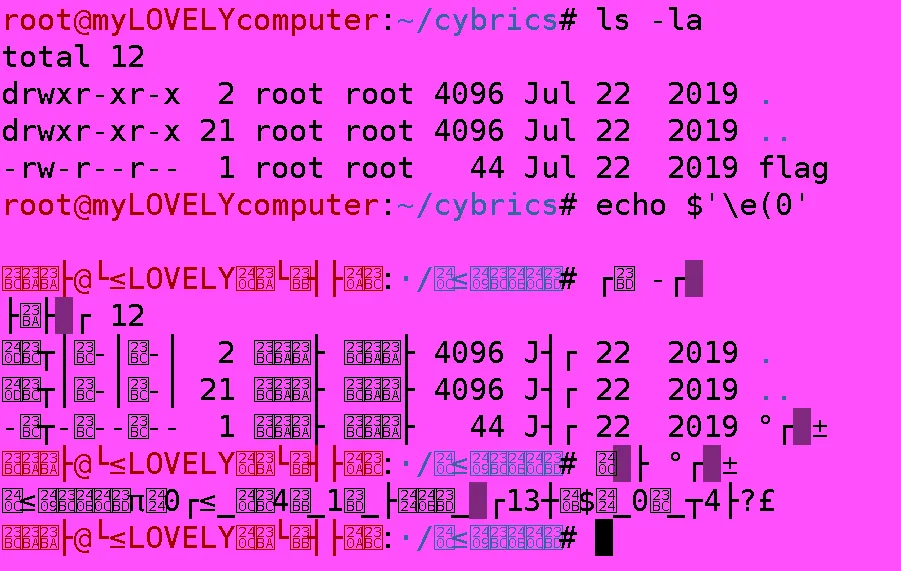
In this challenge, we are asked to decipher the flag from the image above. It seems that running echo $'\e(0' majorly screws up terminal output, which does a pretty good job at obscuring the subsequent commands. If we look closely and do some visual pattern matching, it’s evident that the last command typed by the user is cat flag, which means the second-last line of output would be the flag.
Printing \e(0 sends ESC ( 0, which switches the terminal’s G0 character set to DEC Special Graphics. The bytes stay the same, but lowercase letters and a few symbols such as braces are drawn as graphics glyphs: line segments, ▒, ≤, π, £ and so on. Digits, capitals, $, ? and (in this terminal) _ are left alone.
Mapping symbols to recover the flag
While attempting to decipher the flag, I realized that it would be more efficient if I had a complete mapping of all the weird symbols to the actual letters. After some thought, it occurred to me that replicating this on my system would allow me to execute a Chosen-Plaintext Attack. So I did exactly that, and proceeded to key in a to z and {}.
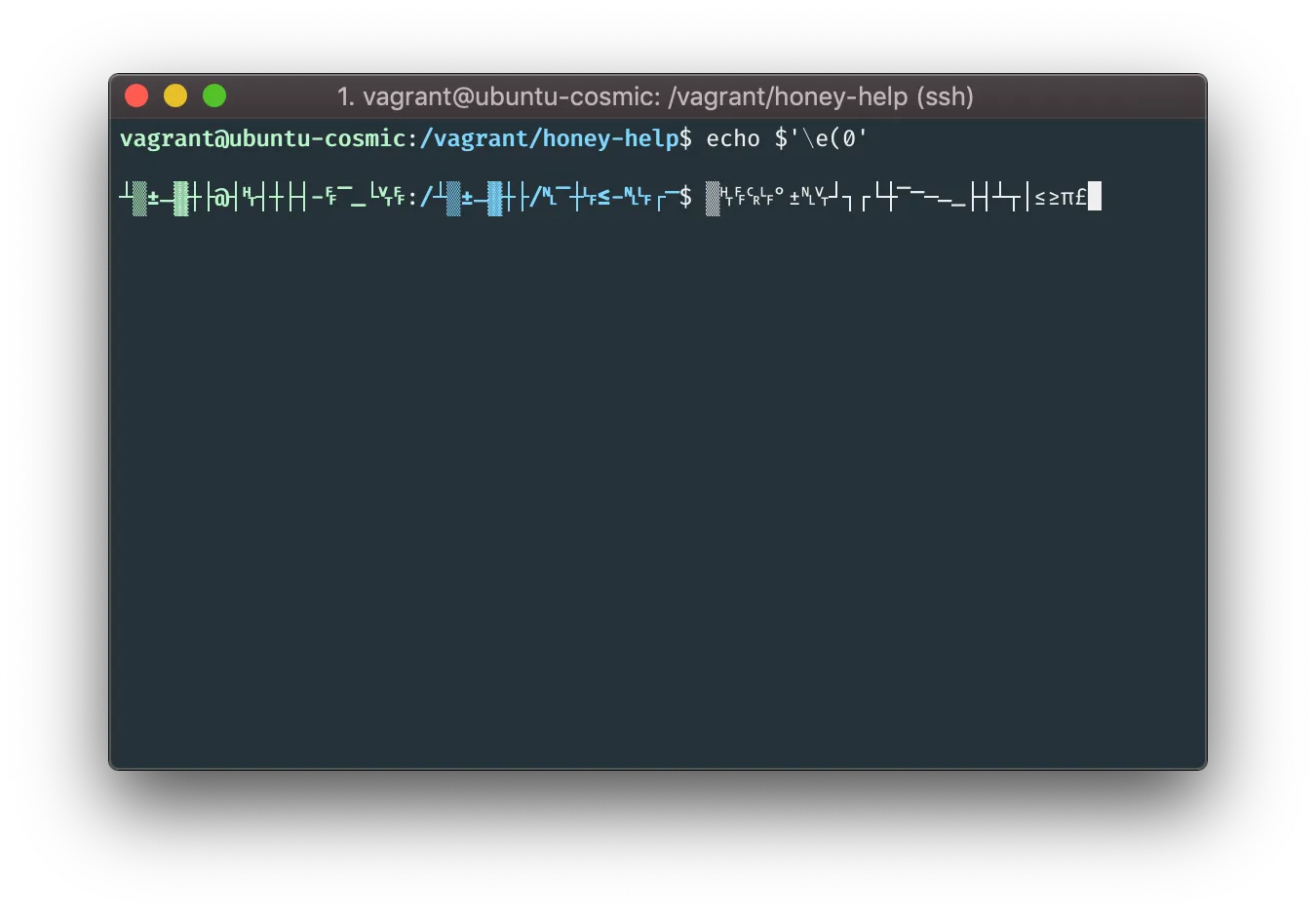
Great! Now I have a mapping of all the characters to symbols. All that’s left is to decode the flag.
#! /usr/bin/python3
ciphertext = '▒␉␌␍␊°±␋┘┐┌└┼⎺⎻─⎼⎽├┤┴┬│≤≥π£'
plaintext = 'abcdefghijklmnopqrstuvwxyz{}'
mapping = {i:j for i, j in zip(ciphertext, plaintext)}
with open('honey_help.txt') as f:
data = f.read().split()[-2]
print(''.join([mapping.get(i, i) for i in data]))Running the script above gets us the flag.
vagrant@ubuntu-cosmic:/vagrant/honey-help$ python3 xpl.py

cybrics{h0ly_cr4p_1s_this_al13ni$h_0r_w4t?}
Result
Flag: cybrics{h0ly_cr4p_1s_this_al13ni$h_0r_w4t?}